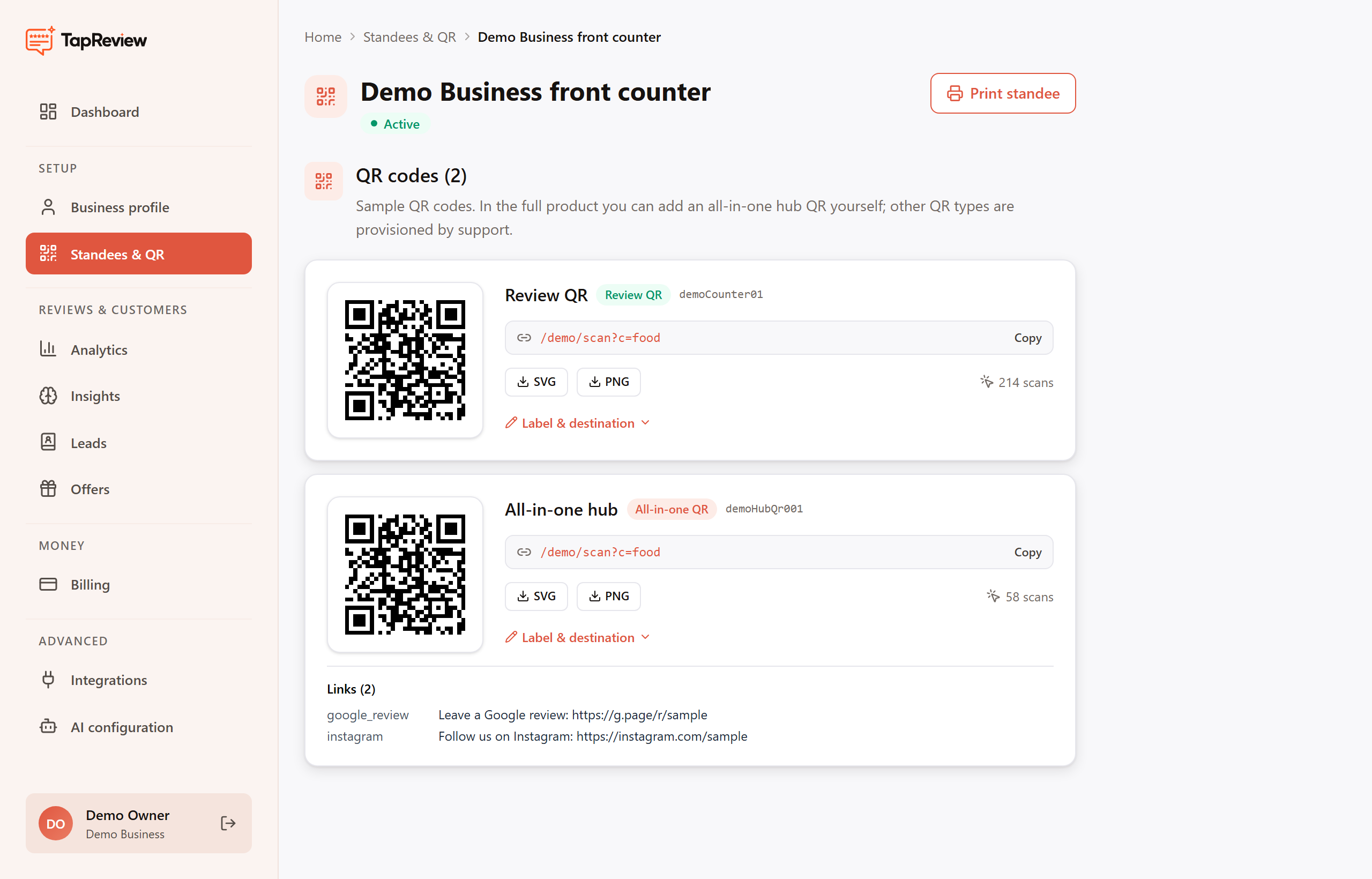
Open a standee to see the QR codes attached to it. Most businesses have a single Review QR; some also have an all-in-one hub QR.
The kinds of QR code
- Review QR: takes the customer straight into the review flow, where the AI writes a review they can post to Google in one tap. This is the one most businesses use.
- All-in-one hub: opens a small landing page with several links, for example your Google review link alongside Instagram or your website. Useful when you want one code to do more than reviews.
The scan link
Each QR shows its scan link (it looks like scan.tapreview.in/r/ followed by a short code). Use the Copy button to copy it, or click the link itself to test where it goes. The QR image encodes exactly this link.
Downloading the image
- SVG: a sharp vector file that stays crisp at any size. Best for printing or sending to a designer.
- PNG: a standard image that works everywhere, for example in a document or a social post.
Open Edit label & destination to see or change the QR label. For hub QRs, the links it points to are listed in their own section on the card.
Next in Standees & QRPrinting a standee Back to Standees & QR