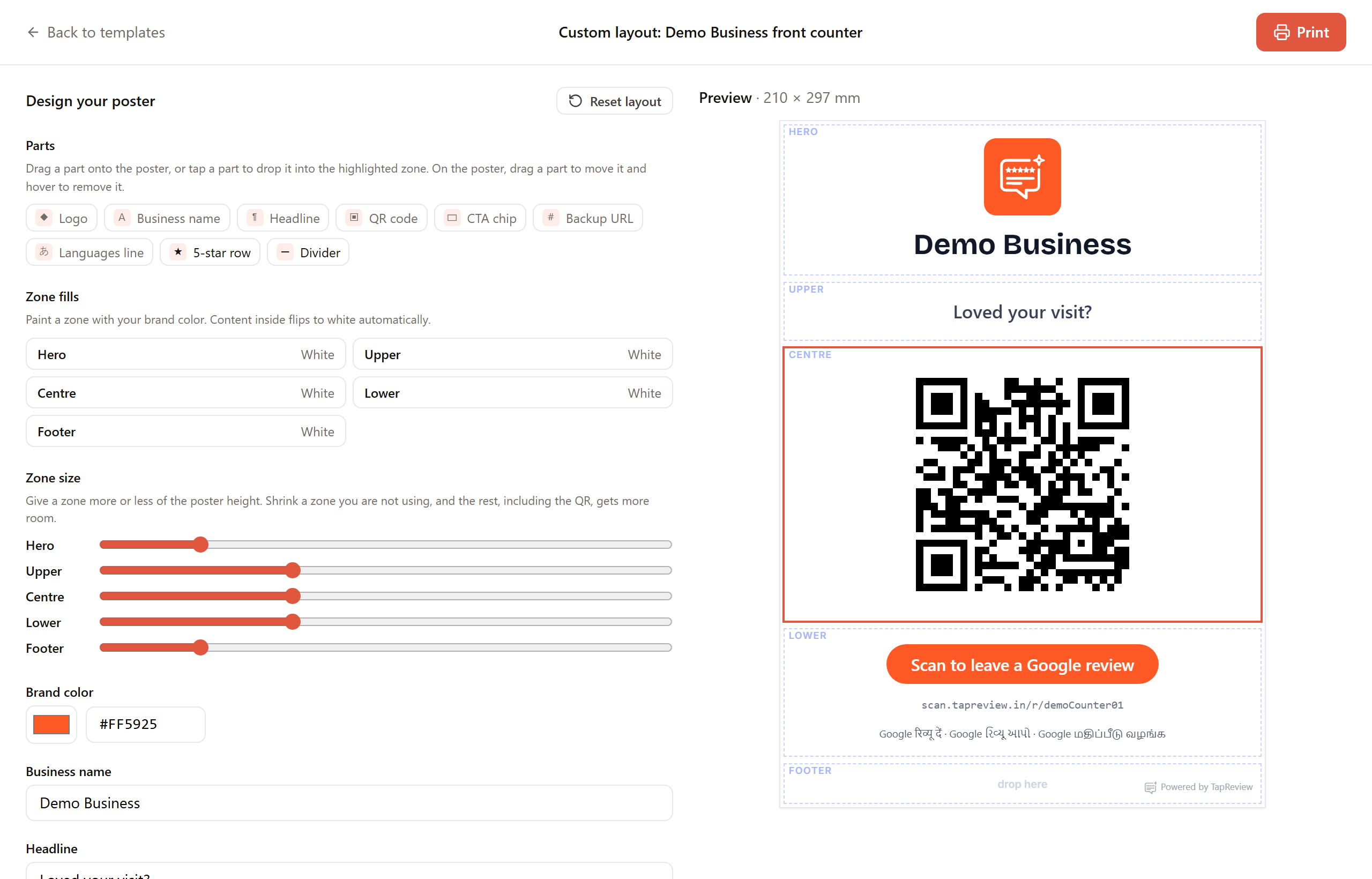
For full control over the layout, open a standee, click Print standee, then click Design a custom layout. The poster is made of five stacked zones from top to bottom: Hero, Upper, Centre, Lower, and Footer.
Build the layout
- From Parts, drag an element onto a zone, or tap an element to drop it into the highlighted zone. Elements include Logo, Business name, Headline, QR code, CTA chip, Backup URL, Languages line, a 5-star row, and a Divider.
- To move an element, drag it to another zone. To remove it, hover over it and click the small x.
- Zone fills: paint any zone with your brand color. Text and elements inside that zone flip to white automatically so they stay readable.
- Zone size: use the sliders to give a zone more or less of the poster height. Shrink a zone you are not using and the rest, including the QR, gets more room.
Text and colors
- Brand color: set the poster color, or click Use brand color to reset to your saved one.
- Business name, Headline, and CTA chip: edit the wording shown on the poster.
- QR size: make the code larger or smaller.
Styling the QR
Under QR style you can set the QR colour and background, and add a border (None, Frame, or Corners) with its own colour and thickness. The code still encodes your review link. A contrast note warns you if the QR colour and background are too close to scan reliably, so keep a dark code on a light background.
Print it
- Choose a paper size, A4 or A5.
- Click Print, and in the browser dialog choose your printer, or pick "Save as PDF" for a file.
Note: the custom layout is not saved, so it resets if you reload the page. Print or save your PDF before leaving. A small "Powered by TapReview" mark stays on the poster and cannot be removed.
Next in Standees & QRSharing your review link Back to Standees & QR