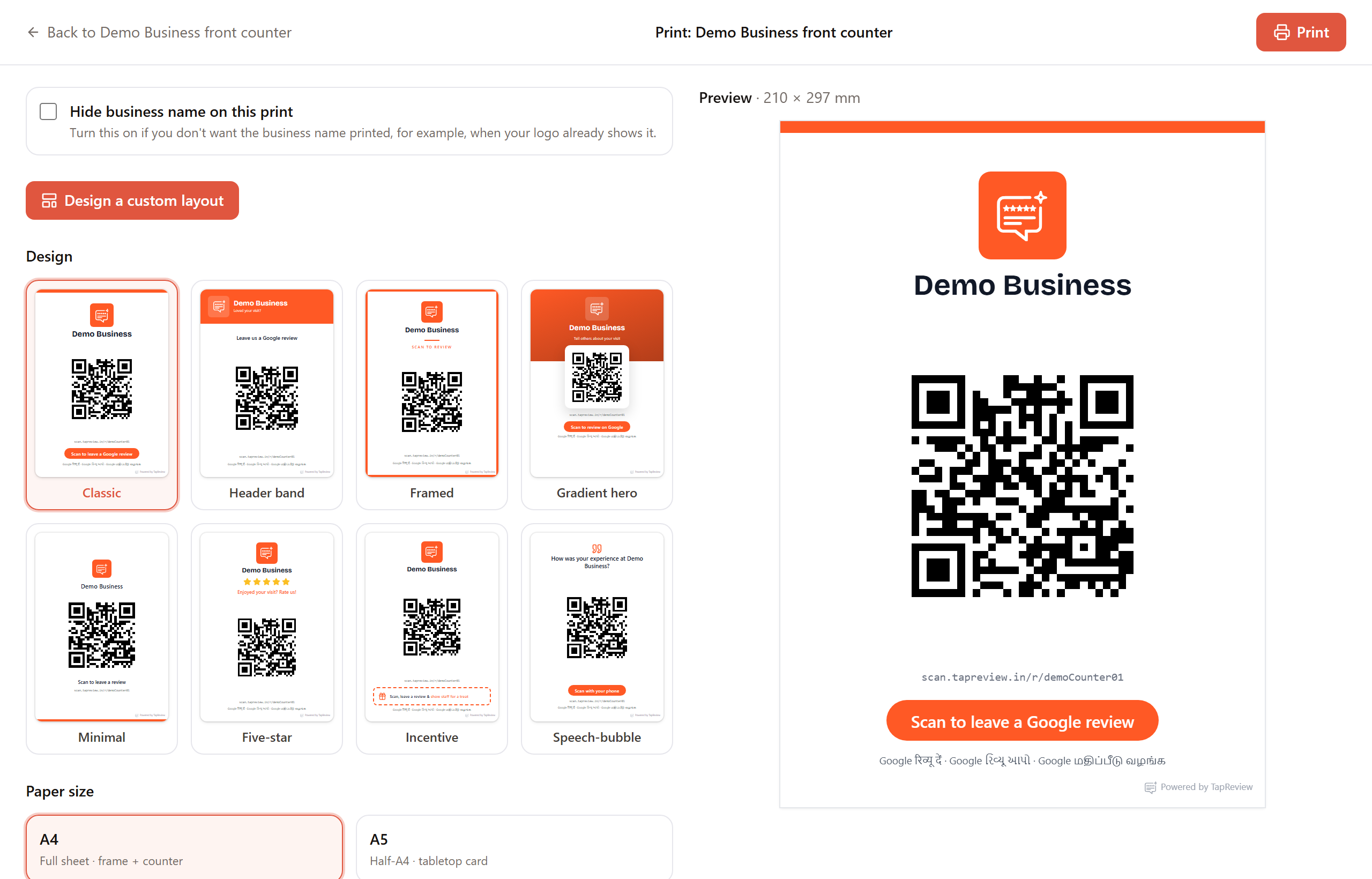
From a standee, click Print standee to open the print page. It builds a ready-made poster around your QR using your brand color and logo.
Options
- Design: choose one of the ready-made poster templates.
- Paper size: A4 (a full sheet, good for a frame or counter) or A5 (a half sheet, good as a tabletop card).
- Hide business name on this print: turn this on when your logo already shows the name, so it is not printed twice.
- Your brand color and logo are applied automatically. If you have not set a brand color, TapReview coral is used.
Print or save as PDF
- Click Print at the top of the page.
- In your browser print dialog, choose your printer to print on paper.
- To get a file instead, pick "Save as PDF" as the destination in the same dialog.
Want a different arrangement than the templates offer? Use Design a custom layout, covered in the next article.
Next in Standees & QRDesigning a custom poster Back to Standees & QR