An offer is a coupon shown to a customer just after they post their review. It is a simple way to turn a happy reviewer into a repeat visit. You set one up from the Offers page in your business panel.
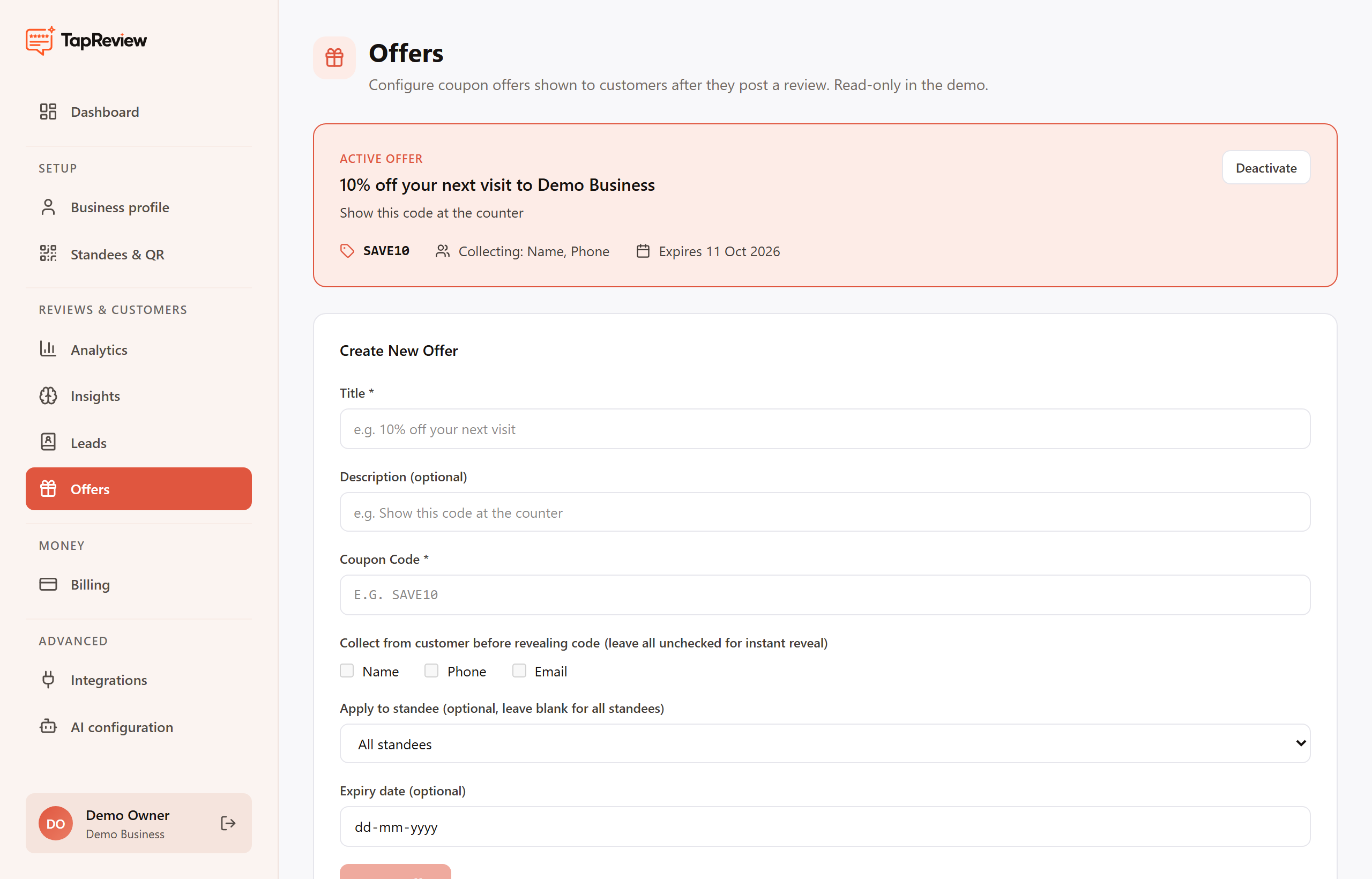
Create an offer
- Open Offers in your business panel.
- Title: the reward the customer sees, for example "10% off your next visit". This is required.
- Description (optional): a short line such as "Show this code at the counter".
- Coupon Code: the code the customer will use, for example SAVE10. This is required and is shown in capitals.
- Choose which details to collect before the code is revealed (see below).
- Optionally limit the offer to a single standee, or leave it set to all standees.
- Optionally set an expiry date.
- Click Create Offer.
Collecting customer details
Under "Collect from customer before revealing code" you can tick Name, Phone, or Email. Whatever you tick is asked for before the coupon code is shown, and those people become your leads. Leave all three unticked for an instant reveal that asks for nothing.
Active offer and past offers
- A new offer is not live automatically. After you click Create Offer it appears under Past Offers; click Activate on it to make it the active offer customers see. Only one offer is active at a time, shown at the top of the page with its code and what it collects.
- To stop an offer, click Deactivate on the active offer card.
- Past offers are listed under Past Offers, and you can activate any of them with one click.
- Deactivating or switching offers does not delete the leads you have already captured.