Reviews collected through TapReview are posted to your Google Business Profile, so connecting the right listing is the most important setup step.
- Go to Profile in your business panel.
- Paste your Google Place ID (it starts with ChIJ) into the Google Place ID field. Use Google's Place ID Finder if you do not have it.
- Save. TapReview syncs your listing and generates your review link automatically.
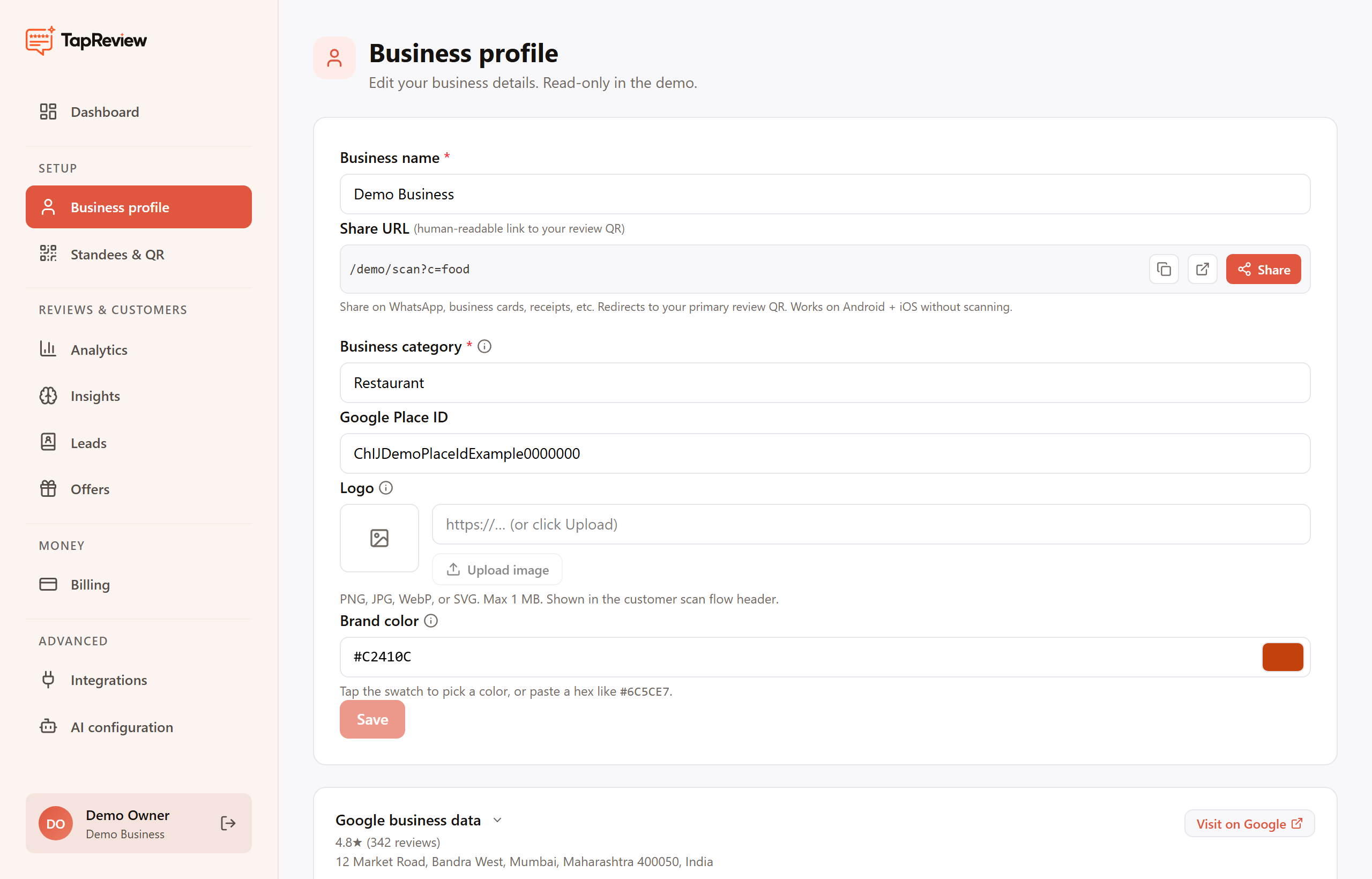
If you do not have your Place ID, make sure your business is verified on Google and visible on Google Maps, then use Google's Place ID Finder. To reply to reviews and see Google metrics inside the panel, also connect the Google integration (see the Google Business Profile section).
Next in Getting StartedPlacing your first QR standee Back to Getting Started